Gyms, studios, coffee clubs and CSA farms all have the same problem: the best moment to sign someone up for a membership is when they're standing in front of you, but most subscription tools assume the customer signs up on a website. With the Payment app, you can start a real Stripe subscription at the counter. The customer taps or inserts their card once, and Stripe bills them automatically every month or year after that.
What do I need to set up first?
Memberships come from your Stripe product catalog. In your Stripe Dashboard, create a product with a recurring price, like a $45 monthly membership or a $450 annual one. Stripe supports any billing period, from daily to yearly, and you can add a free trial to the price there as well. The app can't create recurring prices on its own, so this is the one step that happens in Stripe.
Once the price exists, it shows up in the app right away under the Recurring tab of your products. There's no sync or setup on the app side.
How do I sign up a member in person?
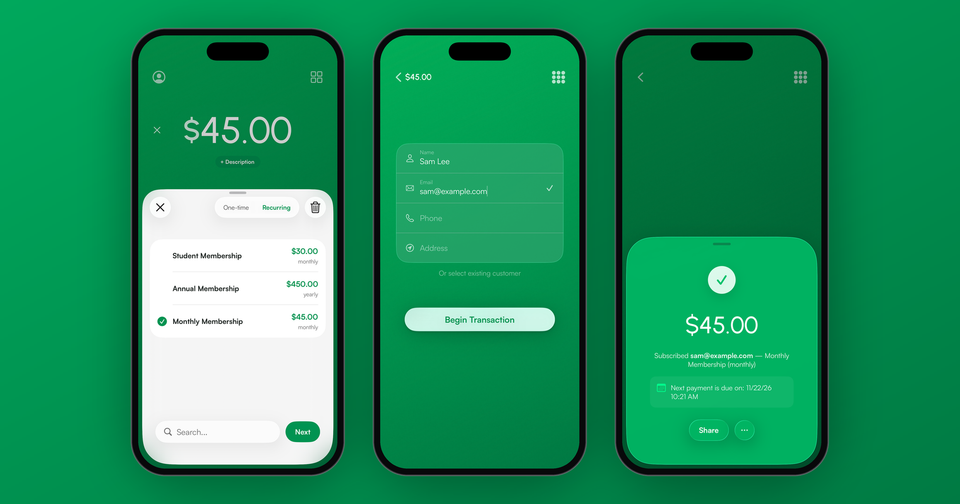
- Open your products and switch to Recurring.
- Tap the membership. The amount fills in, and you can add more than one plan as long as they bill on the same schedule. One-time items, like a sign-up fee or a T-shirt, can go on the same sale and are charged once with the first payment.
- Tap Next and enter the customer's name and email, or pick an existing customer. A subscription always needs a customer so Stripe knows who to bill next month.
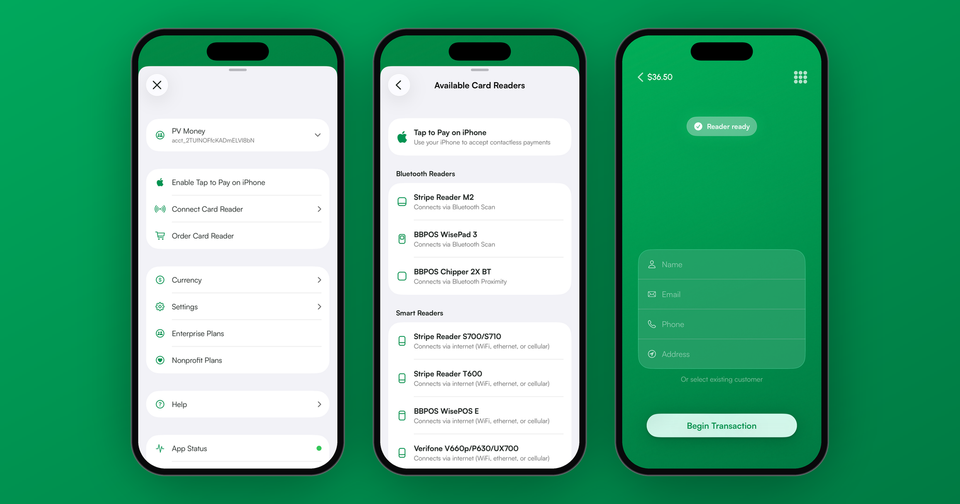
- Have the customer tap or insert their card on your reader or with Tap to Pay, or type the card in by hand.
That's it. The first payment is taken right away, and the success screen shows the date of the next payment.
Imagine the following scenario: A new member finishes a trial class at your studio and wants to join. Instead of sending them home with a link they'll forget to open, you pick Monthly Membership, type their email, and they tap their card. They're billed $45 today and again on the same date next month, without either of you doing anything else.
Why can't customers pay with Apple Pay?
For a subscription, the card has to be saved so Stripe can charge it again next month. Stripe doesn't allow a phone wallet tapped in person, like Apple Pay or Google Pay, to be saved for later payments. If a customer taps their phone, the app will ask for the physical card instead.
How do I manage memberships afterward?
The app lists every subscription with its plan, status and current billing period. From there you can end a subscription, which stops it right away. If a renewal fails, the subscription shows as past due and you can send the customer a link to update their card.
For anything else, like pausing a membership, ending it at the end of the billing period or switching plans, use your Stripe Dashboard. Renewal receipts, reminder emails and how many times Stripe retries a failed payment all follow your Stripe Billing settings, so it's worth checking those once before you start.
What does it cost?
The first payment is a normal in-person sale, at Stripe's in-person rate plus the Payment app fee. After that, Stripe charges the renewals at its standard online card rate, and Stripe Billing adds 0.7% of subscription volume. There's no monthly fee from us.
Memberships work on iPhone, iPad and Android, and need an internet connection to start. More on recurring payments, coupons and trials: our subscriptions guide.