If you see "Uncaptured" next to a payment in your Stripe Dashboard, the customer's card was approved and the money is being held, but it hasn't actually been charged yet. Nothing has moved to your Stripe balance. The payment is waiting on you to either capture it or release it.
This is called an authorization, or a pre-authorization, and it's a normal part of how card payments work. Every card payment starts with one. Most payments are captured instantly, so you never notice the step. An uncaptured payment is simply one where the second half hasn't happened yet.
Why would a business authorize without capturing?
Placing a hold is useful any time you don't know the final amount yet, or you only want to charge if something goes wrong. Common examples include, but are not limited to, rental deposits, hotel stays, equipment checkouts and large custom orders.
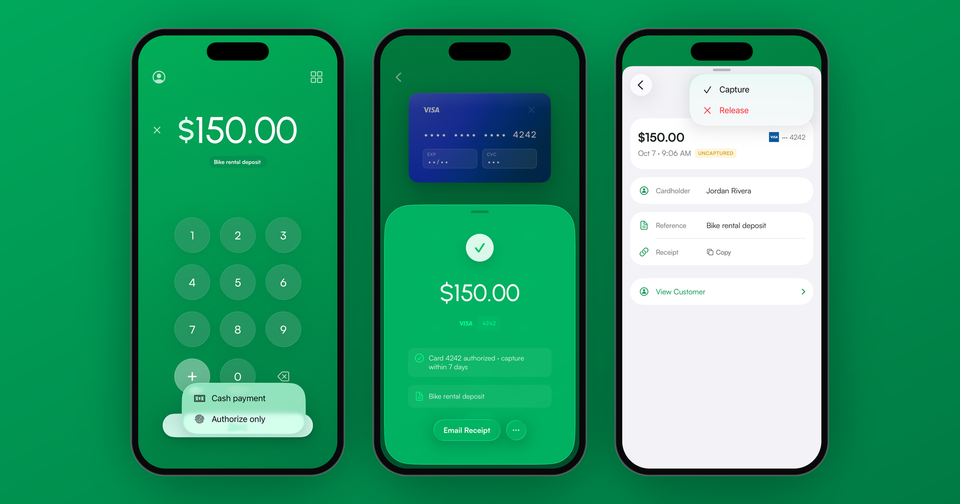
Imagine the following scenario: A customer rents a bike for the afternoon. You place a $150.00 hold on their card as a deposit. When the bike comes back in one piece, you release the hold and the customer is never charged. If it comes back with a bent wheel, you capture the deposit.
How long do I have to capture an uncaptured payment?
Not long. For payments made online or by manually entering a card, you generally have 7 days. For in-person payments on a card reader or Tap to Pay, the window is shorter, typically 2 days, and 5 days for Visa. Some card brands allow longer holds in person, up to 30 days, depending on the card and your type of business.
Since the exact deadline depends on the card, the Payment app tells you on the success screen, for example "Card 4242 authorized · capture within 7 days."
What happens if I don't capture it in time?
Stripe automatically cancels the payment and the hold is released. The payment will show as canceled in your Dashboard, and you would need to take a new payment to charge the customer. How quickly the hold disappears from your customer's statement depends on their bank.
Do I pay fees on an uncaptured payment?
No. Stripe only charges its fee on a completed payment, and you can cancel an authorization at no cost. Our fee works the same way: if you release a hold, or it expires, there is nothing to pay. Fees only apply to the amount you actually capture.
How do I authorize a payment in the Payment app?
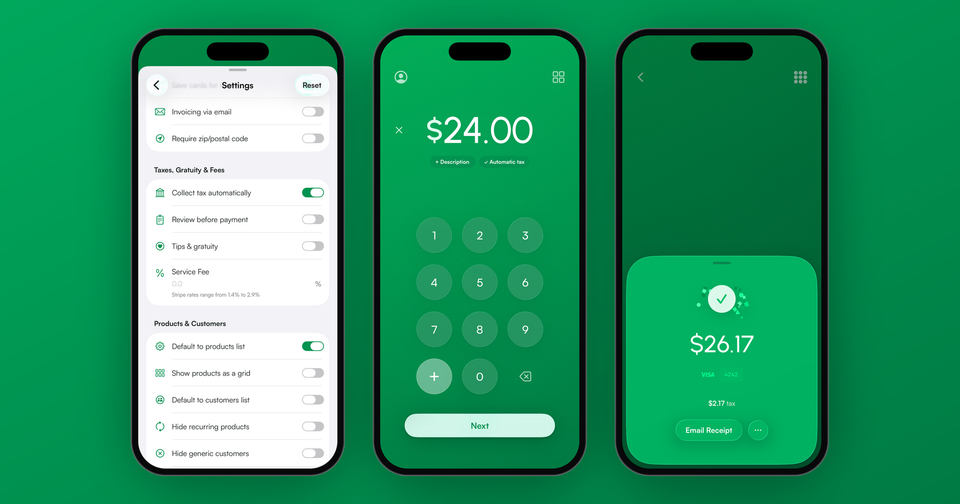
First, turn on Pre-authorizations under Settings in the Payment app. Then enter the amount, tap the ••• button next to Next, and choose Authorize only. From there, take the payment as you normally would with a card reader, Tap to Pay, or by entering the card.
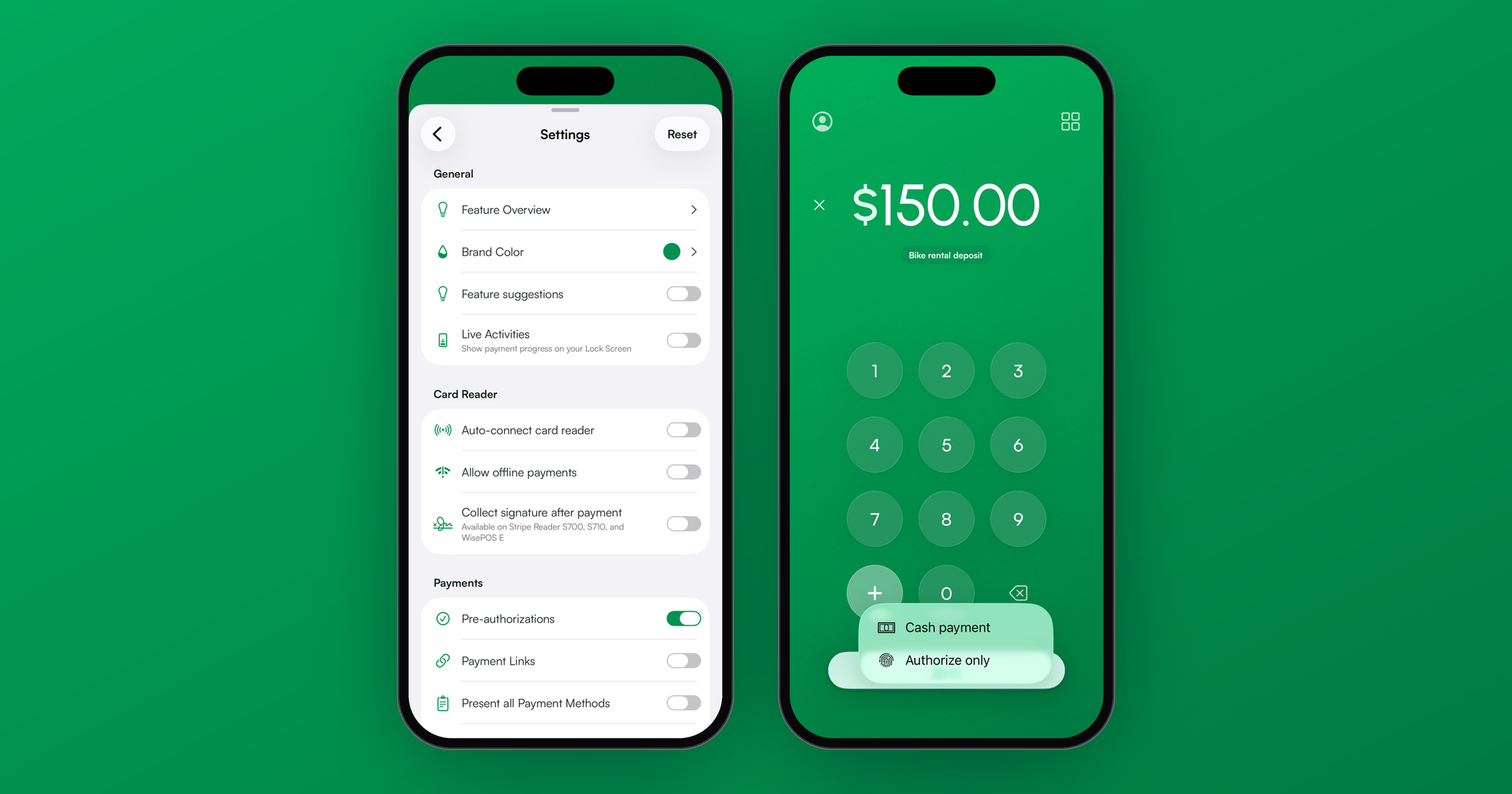
Unfortunately, Interac debit cards in Canada don't support holds, so those payments need to be charged normally.
How do I capture or release an uncaptured payment?
Open the Stripe menu, tap Payments, and look for the UNCAPTURED label. Tap the payment, then the ••• button at the top, and choose Capture to charge the full amount, or Release to cancel the hold. Releasing asks you to confirm, since the customer's card won't be charged.
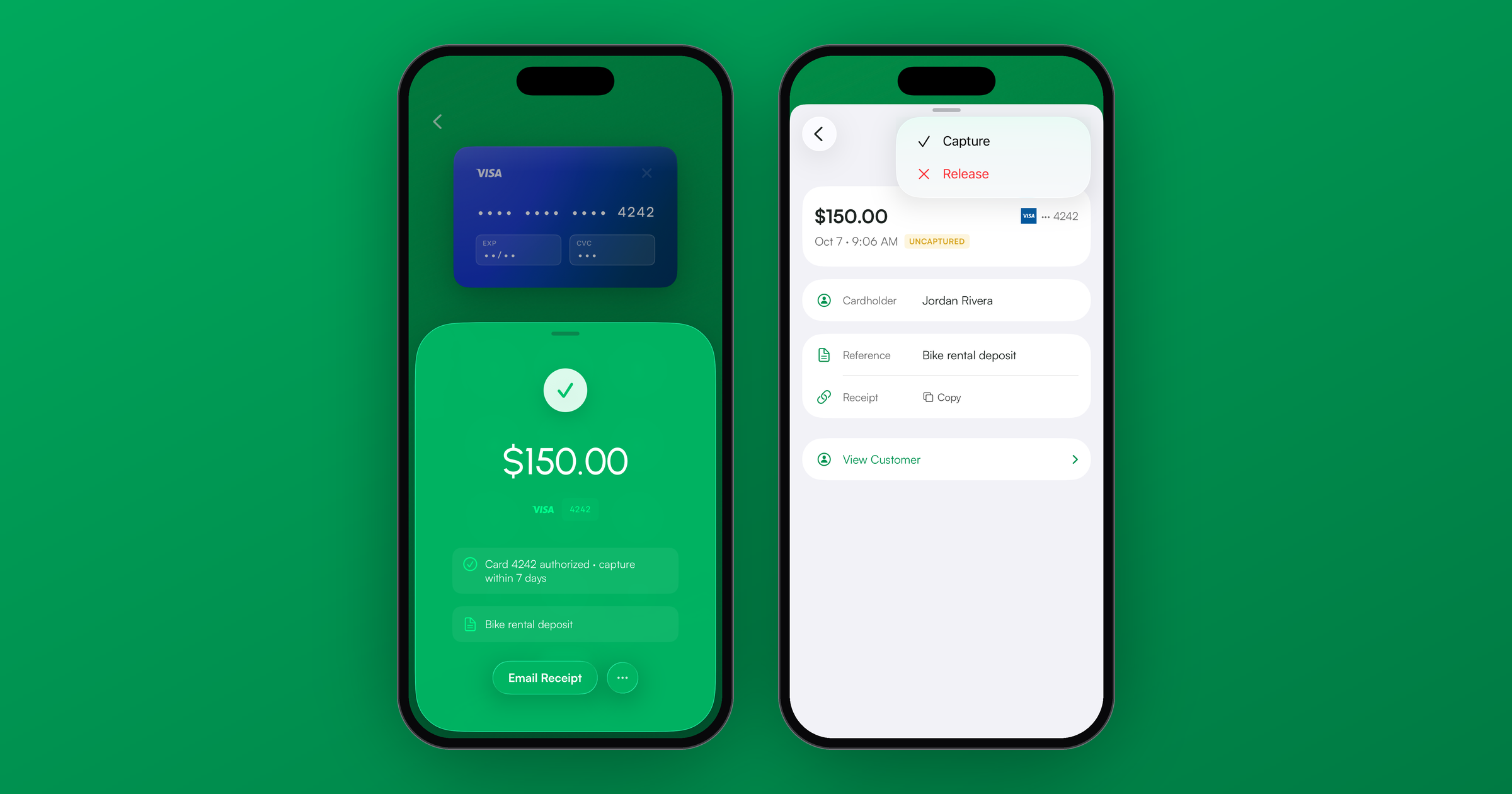
In addition, you can capture or cancel the same payment from your Stripe Dashboard. Keep in mind the Payment app always captures the full amount. If you only need part of a deposit, for example $40.00 of $150.00 for a repair, you can capture it and then issue a partial refund, but Stripe keeps its fee on the full $150.00. Releasing the hold and taking a new payment for $40.00 avoids that fee, if the customer is still there.
Holds are one of those features that you don't need until you really need them. Download the Payment app to start taking deposits on your phone.