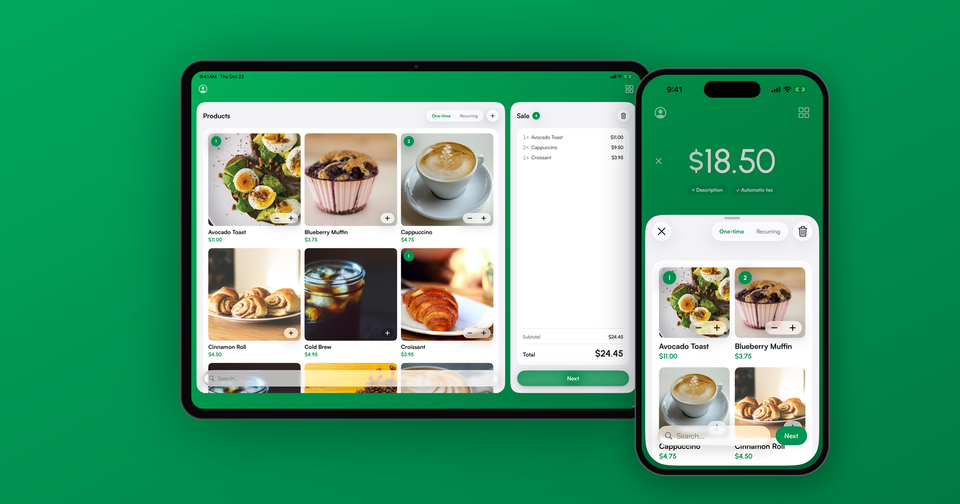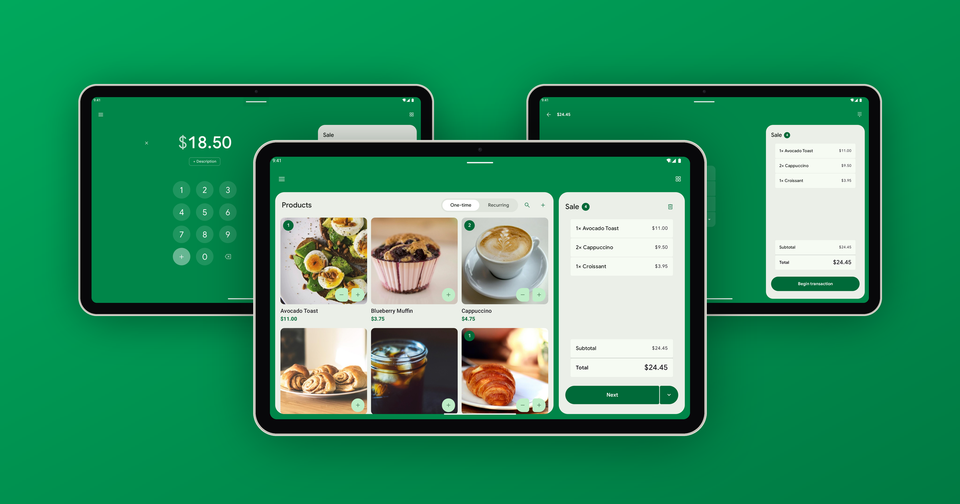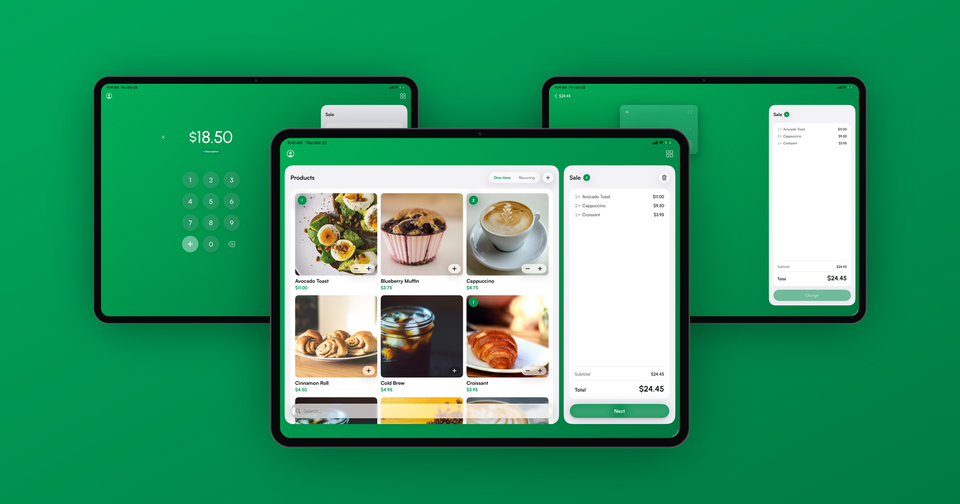
The Payment app now uses the whole iPad. Open it on an iPad and your product catalog sits on the left, the sale sits on the right, and both stay on screen for the entire checkout. It is the layout you would expect from a countertop register, running on the Stripe account you already have.
For a long time the iPad version was the iPhone app, only bigger. That worked, but it left most of the screen empty, and merchants who keep an iPad on the counter told us they wanted to see the cart while they rang things up. This update is our answer to that.
How does it work?
Tap a product and it lands on the sale ticket on the right, with the quantity, subtotal and total updating as you go. Tap it again to add a second one, or use the − and + buttons on the product to adjust. Products with more than one price open in place, so you can pick the size without losing your spot in the catalog.
When the customer is ready, tap Next. The catalog slides away, the payment step takes its place on the left, and the ticket stays exactly where it was, so you and your customer can both see what is being charged. If a card reader is connected, the Begin transaction button sits right on the ticket.
Imagine the following scenario: a customer at your coffee counter orders an avocado toast, two cappuccinos and a croissant. Tap each one, glance at the $24.45 total on the ticket, tap Next and hand over the reader. No typing, no math, and every item is saved on the payment in Stripe.
What if I just want to type an amount?
Not every sale comes from the catalog. Tap the keypad button above your products and the keypad takes the catalog's place, with the ticket still on the right. The + key adds several amounts together, the same way it does on iPhone.
In addition, the app remembers which side you used last. If you mostly type amounts, it opens to the keypad, and if you mostly sell products, it opens to the catalog. If you have a keyboard connected to your iPad, you can simply start typing numbers and the keypad comes in on its own. Merchants without any products in Stripe get a wide keypad layout instead.
List or grid?
Your catalog can show as a list or as a grid of photo tiles, three across on iPad, which makes it quick to find things by sight. The grid works on iPhone and Android too, and we covered it in more detail in a separate post.
Which iPads are supported?
Any iPad that runs iPadOS 18 or later, in landscape or portrait. If you run the app in a narrow Split View or Slide Over window, the app switches to a simpler layout until you give it more room.
Keep in mind that Tap to Pay is only available on iPhone, so on iPad you will want a Stripe card reader. The Stripe Reader M2 connects over Bluetooth and fits in a pocket, while the WisePOS E and S700 sit on the counter. You can also key in a card by hand.
Availability
The new iPad layout is available now in the latest version of Payment for Stripe on the App Store. Update the app, open it on your iPad, and your catalog will be waiting. As always, if something looks off, email us at support@pocketvendor.com and we'll take a look.
Learn more about using Payment for Stripe as your Stripe POS.