Stripe's reader lineup finally has a printer. The Verifone V660p is a countertop card reader with a built-in receipt printer, and it runs the Payment app right on the device, or Stripe's standalone mode if you'd rather keep things simple. For every restaurant, salon and repair shop that has asked us "but how do I print a receipt?", this is the answer.
Built for the counter
The V660p is a countertop device through and through. It connects over WiFi or Ethernet via the Full Feature Base, has a customer-facing touchscreen, and accepts tap, dip and swipe along with Apple Pay, Google Pay and other NFC wallets. The battery runs roughly 10 hours of active use, so it survives a full day even if it wanders off its base.
And of course: it prints paper receipts, right from the device. Email receipts are great until a customer wants paper, and now you can offer both.
Runs the Payment app
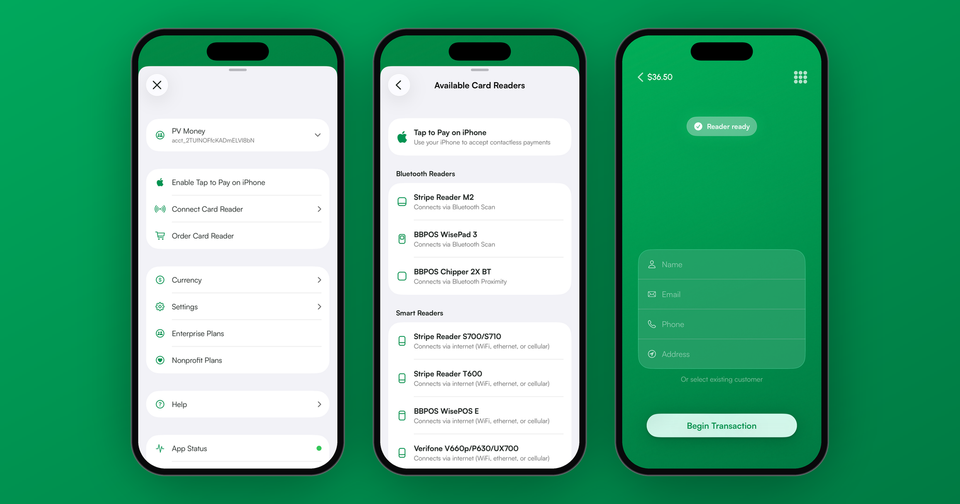
The V660p runs the Payment app directly on the reader, the same way the S700 and S710 do. Register the reader, the app installs automatically, and you sign in on the device. Your products, your payment history and your Stripe account are all right there on the counter, with no phone or tablet sitting next to it.
One thing to know before you order: running the app on a reader needs a Stripe account with platform controls turned on, which in practice means an account our setup creates for you, with its own balance and payouts. Standalone mode works with the Stripe account you already have.
Print receipts from the app
After a sale, tap Receipt, then Print, and the V660p prints a customer receipt with your business name, the items and total, the card details and a QR code that opens the full online receipt. If the printer is out of paper or the cover is open, the app tells you, and the sale itself is never affected. More on printing: how to print Stripe receipts.
Works standalone
The V660p also supports Stripe's standalone mode, which means it can take payments entirely on its own, with no phone, tablet or POS app connected. Enter the amount on the touchscreen, hand it to the customer, and they choose a printed or emailed receipt when the payment goes through. If you want the full picture on standalone mode, we covered it here.
Our hosted setup wizard supports the V660p with the same pairing-code flow as the S700, so you can go from unboxing to first payment in a couple of minutes. Keep in mind that a reader runs either the Payment app or standalone mode, not both at once.
V660p or S700?
Both run the Payment app and both support standalone mode, so the choice mostly comes down to paper. Do you need printed receipts? The V660p is the only Stripe reader that prints them. Do you need cellular, or are you selling outside the US? That's the S700 and S710. In some setups the answer is both: an S710 at the farmers market, and a V660p at the shop counter.
Availability
The V660p is currently available to US Stripe accounts, ordered through your Stripe Dashboard. It processes at Stripe's standard in-person rates.