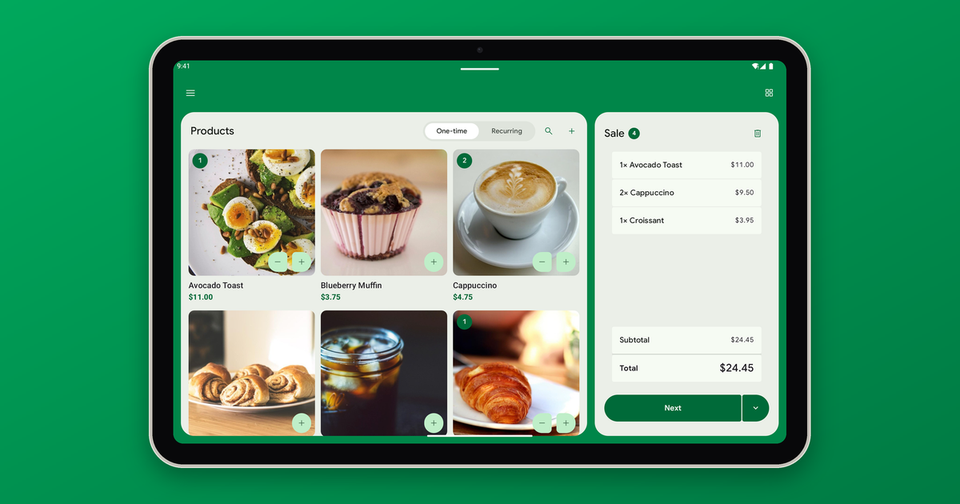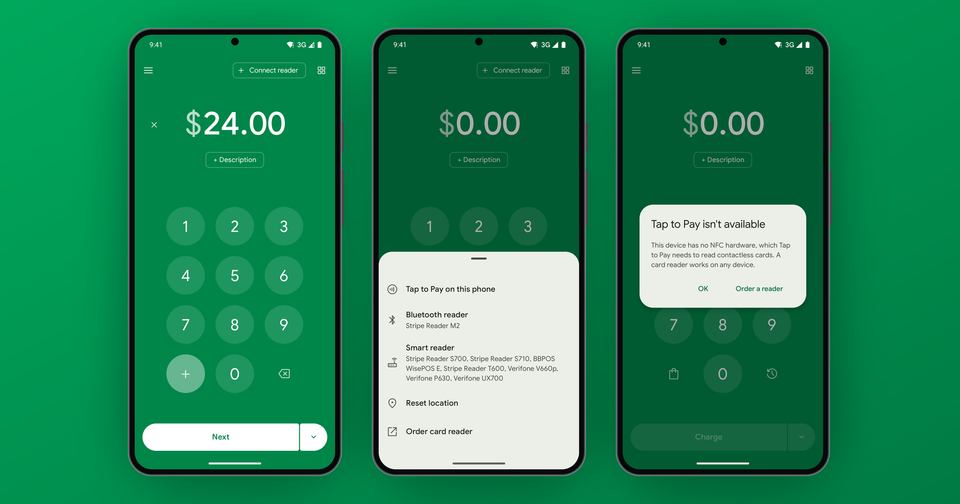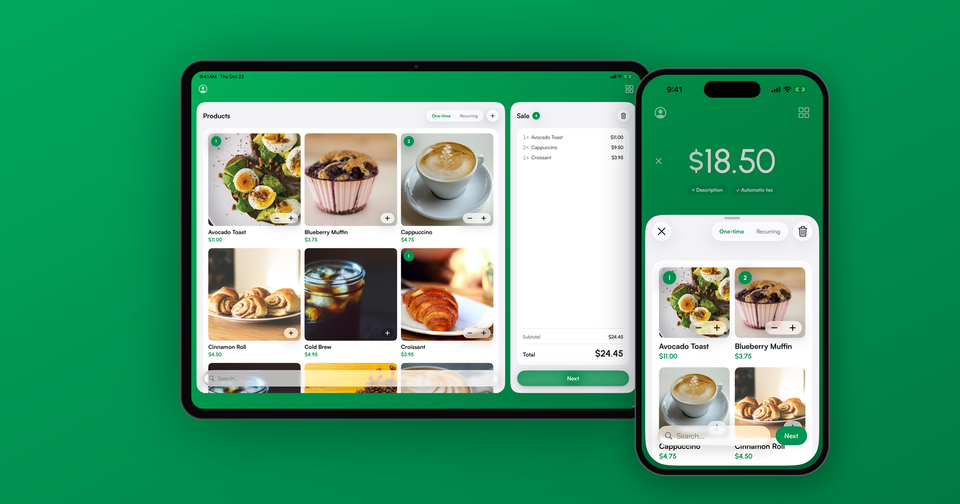
If you already keep your products in Stripe, the Payment app can sell them at the counter without any extra setup. Every active product and price in your Stripe account shows up in the app's product list, with its photo, ready to tap into a sale. Add a few items, and the app totals them, applies your tax and any coupon, and charges the card.
Ringing up products keeps prices consistent no matter who is working the register, and every sale lands in Stripe with its line items attached, so you can see later exactly what sold.
How do product photos get into the app?
The app uses the image on each product in your Stripe Dashboard. Open a product in Stripe, upload an image, and it appears next to that product in the app the next time the list loads. Products without one get a placeholder, but photos make a long catalog much faster to scan when a line is forming.
Can one product have several prices?
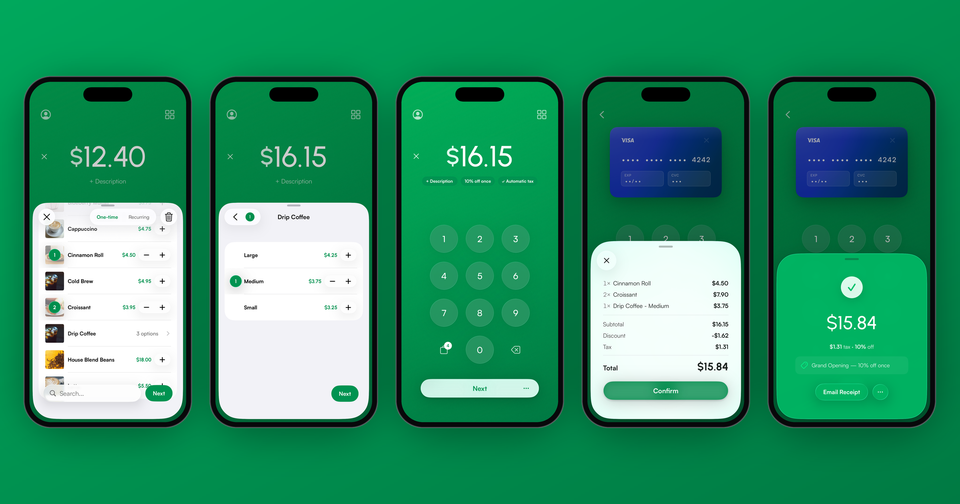
Yes. A coffee might have one product with Small, Medium and Large prices. In the app, a product with one price shows as a single row. A product with several prices shows as one row that reads "3 options", and tapping it opens the list of prices, each labeled with the price's nickname from Stripe. Give your prices clear nicknames, and that list reads like a menu.
In addition, prices where Stripe lets the customer choose the amount, such as a donation or a custom order, are listed in their own group after your fixed-price items. When you add one, the app asks for the amount and respects any preset, minimum or maximum you set in Stripe.
You can also create a simple product with one price right from the app, and it is saved to your Stripe catalog.
How does the subtotal work?
Use the + and − buttons on each row to add items to the sale. A badge on the product's photo shows how many are in the cart, and the amount at the top of the screen keeps a running total as you go. For bigger orders, tap the quantity and type it in rather than tapping + twelve times.
Product sales and typed amounts are kept separate. If you need to add up a few prices that are not in your catalog, use the + key on the keypad instead.
Can Stripe calculate sales tax for me?
It can. Turn on Collect tax automatically in the app's Settings, and product sales are sent to Stripe Tax, which works out the tax based on each product's tax settings and your business address. You will need Stripe Tax set up in your Stripe account first. On iPhone and iPad, the app uses the business address in your Stripe account. On Android, you enter it in the app.
If you would rather use a flat rate, you can pick one of your Stripe tax rates instead, and it shows on the charge screen as a small pill such as "8.75% tax". Automatic tax covers product sales only. Amounts typed on the keypad are not taxed automatically. The taxes guide walks through both setups.
Can I show product details from Stripe metadata?
On iPhone and iPad, yes. When a product has several prices, any metadata you add to a price in Stripe is shown under that price in its list of options, which is handy for details like a color, a fabric or a shelf location. The same details are added to the line item on the Stripe invoice, so they travel with the sale.
Metadata can also keep products out of the app. Adding payment_hidden with the value true hides a product or a single price, which we covered in hiding products with a Stripe metadata key.
How do discounts and coupons work?
Create your coupons in the Stripe Dashboard, either a percent off or a fixed amount off, and they show up in the app's coupon list. Pick one during a sale and it sits on the sale as a chip. The discount comes off before tax and is saved on the payment in Stripe, so your reports show what was discounted and why.
Coupons limited to certain products in Stripe apply only to those items on iPhone and iPad. On Android, those product-limited coupons are not available yet, so use a coupon that applies to the whole sale.